Harvester UI · Reviewed
Moving a running VM to another network no longer needs a restart
Today, changing which network a running VM's network card is on always asks the user to restart the VM. From Harvester v1.10 the change can be applied live, so for a VM that can be live-migrated the UI saves it without the restart prompt and explains this with a banner.
What changes for the user
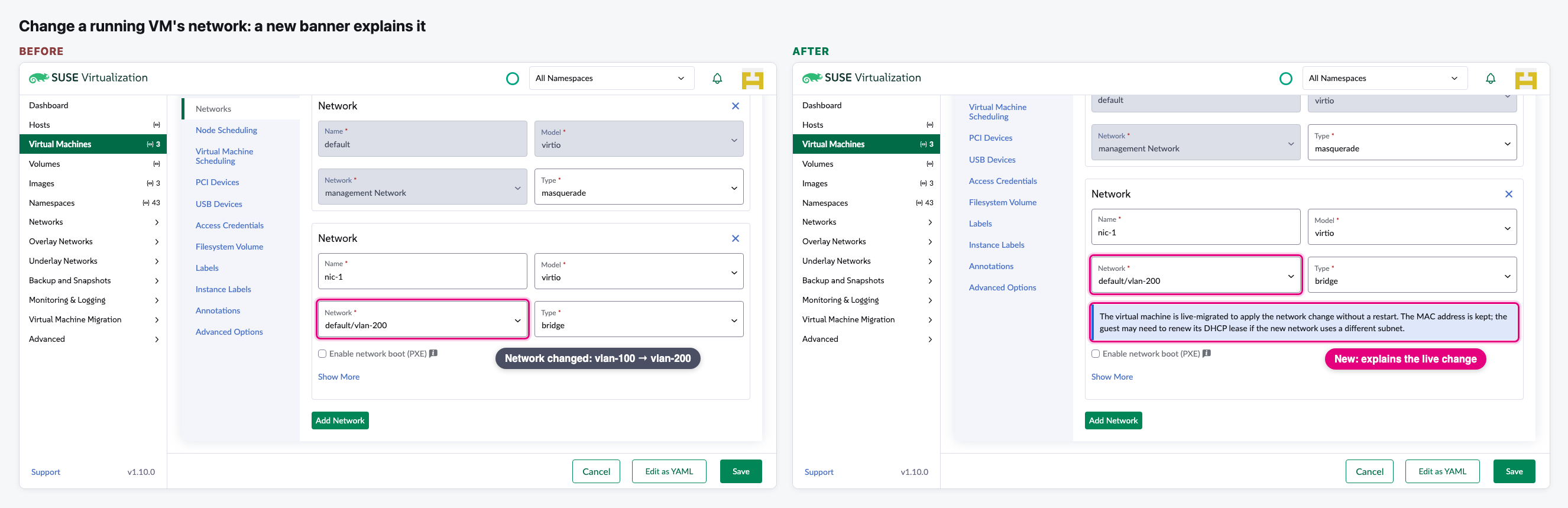
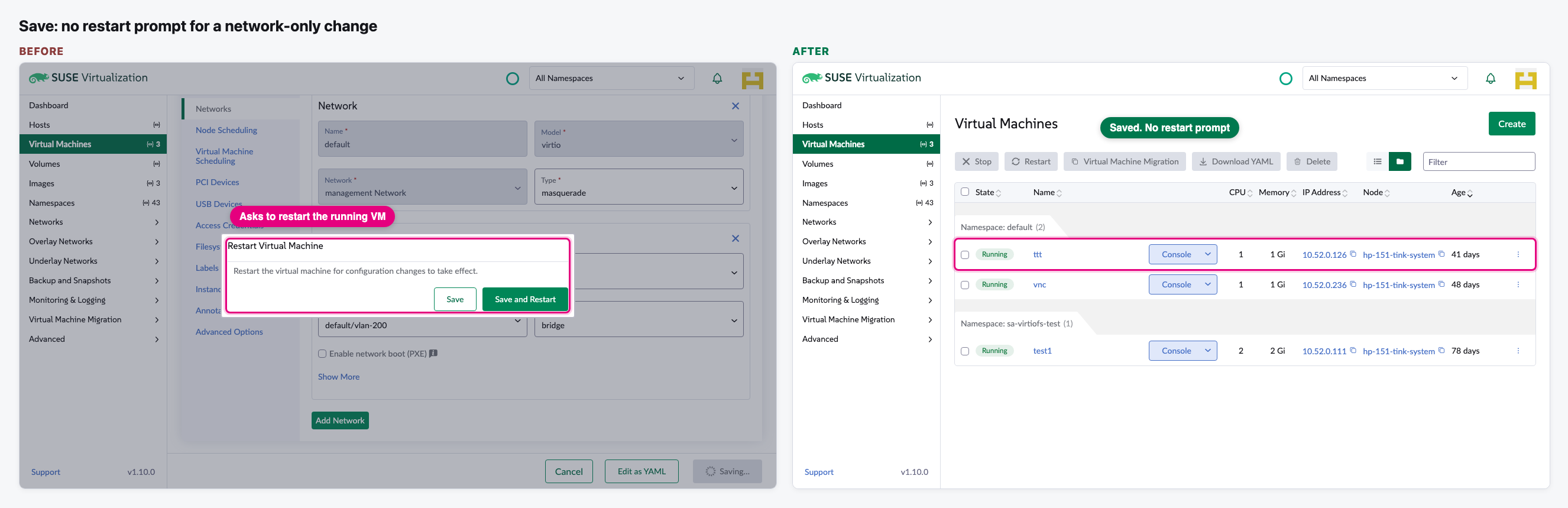
- On a running VM that can be live-migrated, moving an existing network card from one VLAN network to another saves without the "Restart Virtual Machine" dialog. The VM keeps running and is moved live in the background.
- A blue banner under the network explains this: the VM is live-migrated, keeps its MAC address, and may need a DHCP renew if the new network uses another subnet.
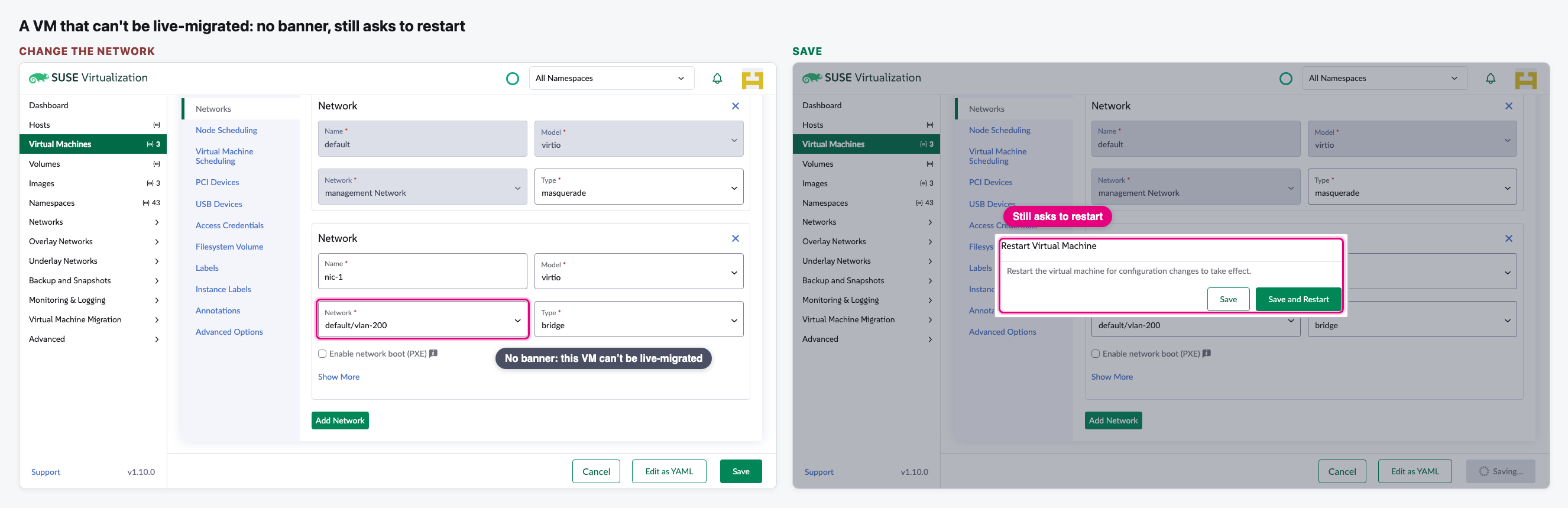
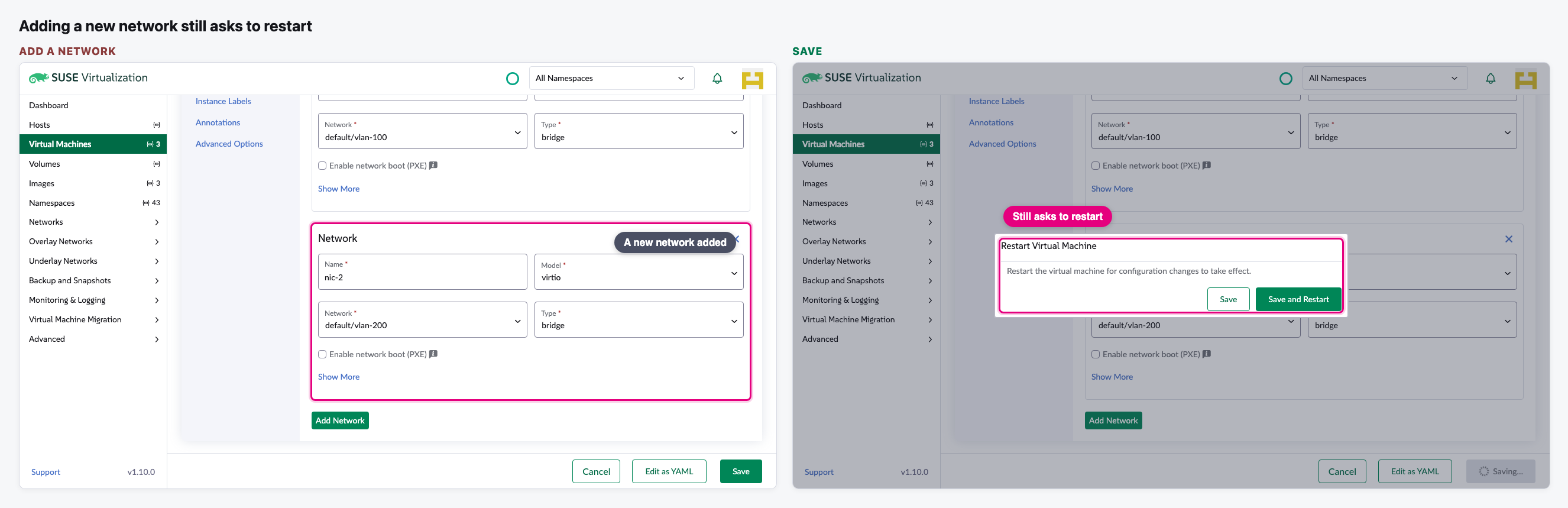
- Everything else still asks for a restart as before: VMs that can't be live-migrated, adding a network card, overlay networks, or any other change saved together with the network.
- Only on Harvester v1.10 and later. Older versions behave exactly as today.
- It works only together with PR 1206. Without it, the restart prompt still appears because of a separate bug.
Needs a decision
- After the silent save (step 2) nothing tells the user that the guest usually keeps its old IP address until a DHCP renew or a restart. We asked for a short message after Save. The author declined: the banner on the form already says it, and moving networks is a deliberate act. Do we accept the banner alone, or still ask for a message after Save?
The flow
Change the network of a running VM
We open Edit Config on a running VM, go to Networks and move its second network card from vlan-100 to vlan-200.
Save: no restart prompt
Before, Save asked to restart the running VM. After, the VM is saved and we are back on the list with the VM still running.
A VM that can't be live-migrated still asks to restart
Same change on a running VM that can't be moved live. No banner shows, and Save asks for a restart as today.
Adding a new network card still asks to restart
On the same running VM we add a network card on vlan-200 and save. It asks for a restart, as today.
Video (optional)
0:00 Before · 0:21 After · 0:56 A VM that can't be live-migrated
Notes
- How we tested: "Before" is current main with PR 1206; "After" adds this PR on top, so the only difference is this change. Both were built and run from this laptop against our test Harvester. Every save was answered in the browser, so nothing on the cluster changed.
- Our test Harvester is v1.9 with one node, so in the browser only we showed it as v1.10, added two VLAN networks (vlan-100, vlan-200), gave the VM a second network card, and offered the Migrate action a multi-node cluster would have. We also hid other teams' test networks from the list.
- Because of that, we could not show the live migration itself or the guest's IP after the move. The author also says end-to-end testing waits for a Harvester v1.10 build.
- The PR is still a draft. Our two earlier rounds of comments are addressed, apart from the open question above. It should merge after PR 1206.